
FAQ - Frequently Asked Questions
Ad: Deactivate ads that you dont use now.
Instructions for Deactivating Ads Not in Use
If you have ads you're not currently using, you can deactivate them.
Note:
- Deactivated ads will stay in your "Your Ads" list, ready for reactivation whenever you choose.
- If your ad has active days in its current advertising period, it will run continuously until the period ends. Advertising periods run for the number of days purchased (e.g., a 15-day period runs for 15 consecutive days without the option to pause).
Steps to Deactivate an Ad:
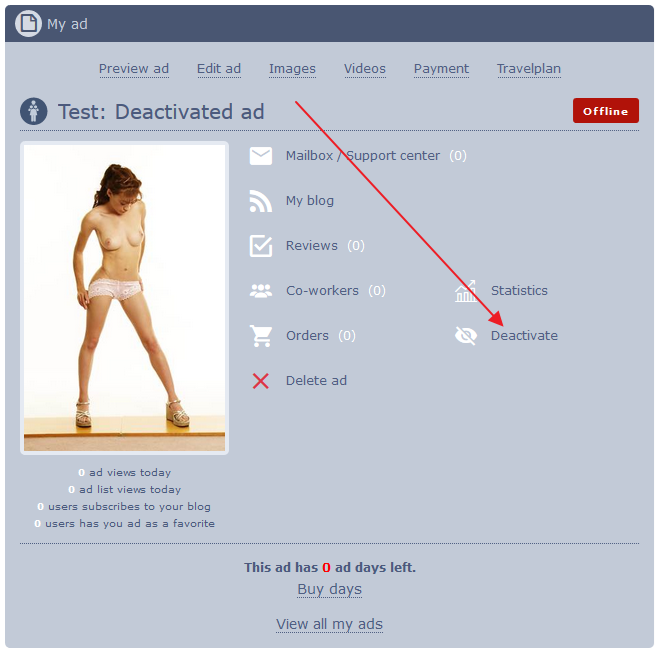
1. Go to the ad and click the 'Deactivate' button.
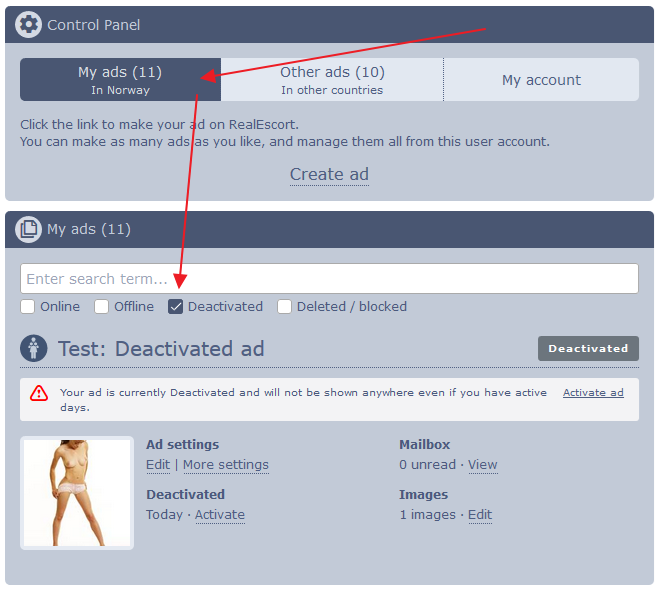
Deactivated ads remain accessible in your Dashboard under the "Your Ads" list. Find them by searching the ad’s name or checking the “Deactivated” checkbox to display only deactivated ads.
Steps to Activate an Ad:
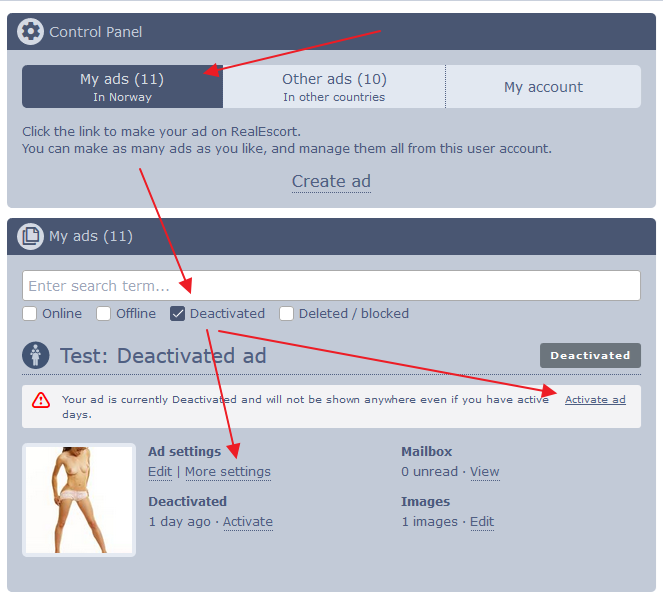
1. Locate the ad and click "More settings" or the quick link provided in the ad status message.
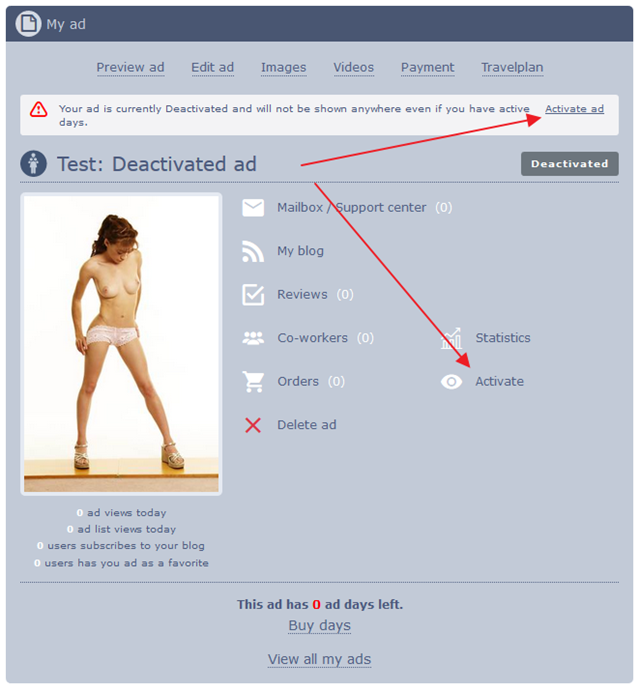
2. Click the 'Activate' button.
We hope these instructions are helpful. Have a great day!
RealEscort
If you have ads you're not currently using, you can deactivate them.
Note:
- Deactivated ads will stay in your "Your Ads" list, ready for reactivation whenever you choose.
- If your ad has active days in its current advertising period, it will run continuously until the period ends. Advertising periods run for the number of days purchased (e.g., a 15-day period runs for 15 consecutive days without the option to pause).
Steps to Deactivate an Ad:
1. Go to the ad and click the 'Deactivate' button.
Deactivated ads remain accessible in your Dashboard under the "Your Ads" list. Find them by searching the ad’s name or checking the “Deactivated” checkbox to display only deactivated ads.
Steps to Activate an Ad:
1. Locate the ad and click "More settings" or the quick link provided in the ad status message.
2. Click the 'Activate' button.
We hope these instructions are helpful. Have a great day!
RealEscort