
FAQ - Frequently Asked Questions
Account: Change password for your account.
Instructions: How to change your account Password
1. Sign into your account.
2. If you're not already there, navigate to the "Dashboard".
3. Select "Your account".
4. Choose "Edit user settings".
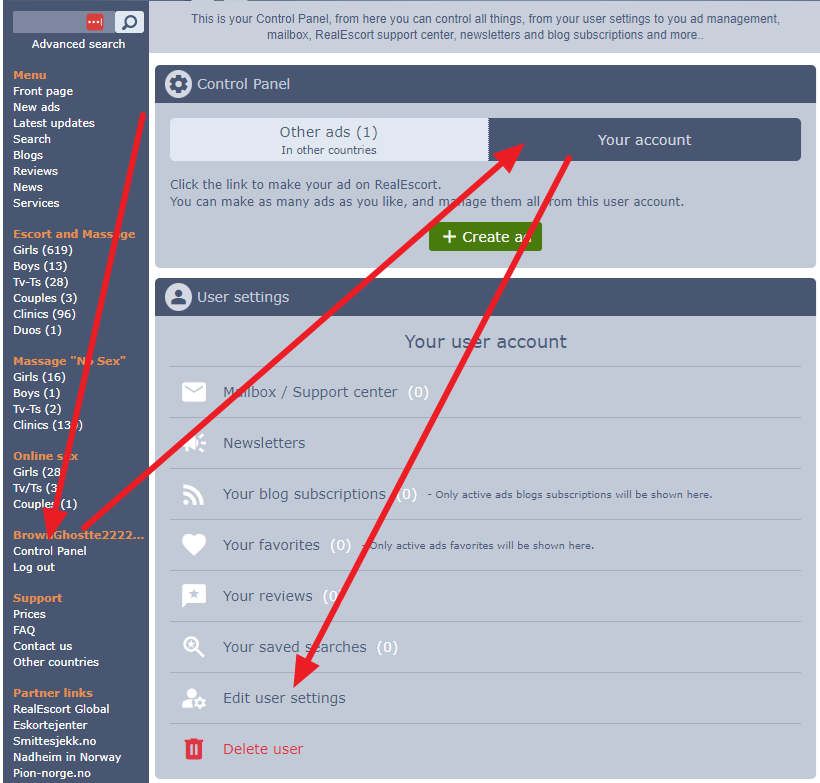
5. Click on "Change password" and adhere to the instructions on the page.
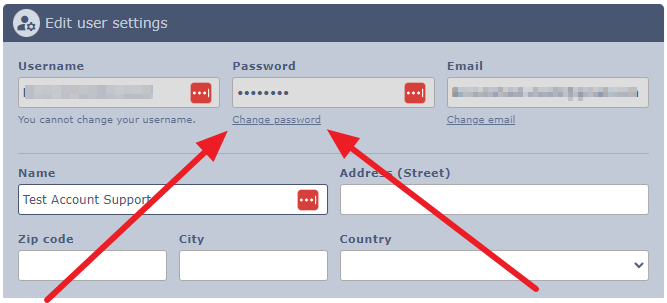
Click this link to navigate straight to the user settings page for editing.
1. Sign into your account.
2. If you're not already there, navigate to the "Dashboard".
3. Select "Your account".
4. Choose "Edit user settings".
5. Click on "Change password" and adhere to the instructions on the page.
Click this link to navigate straight to the user settings page for editing.