
FAQ - Frequently Asked Questions
Payment: Bank / Wire Transfer - Revolut Bank - Reference / Message Guide
Payment: Bank / Wire Transfer - Revolut Bank - Reference / Message Guide
This guide will show you how to add a Reference/Message to your Bank / Wire transfer using "Revolut Bank".
The easiest way to pay is by scanning the QR code.
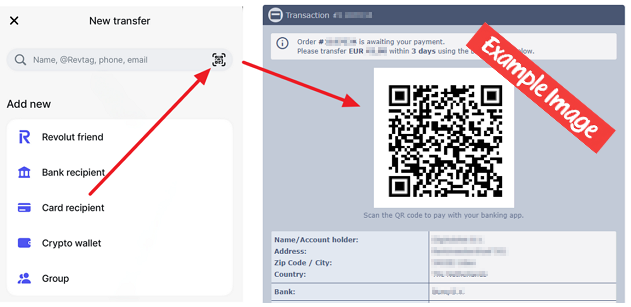
If you can't use the QR code, follow these manual steps:
1. Select the name if you have already sent money to us, or choose "Send Internationally."
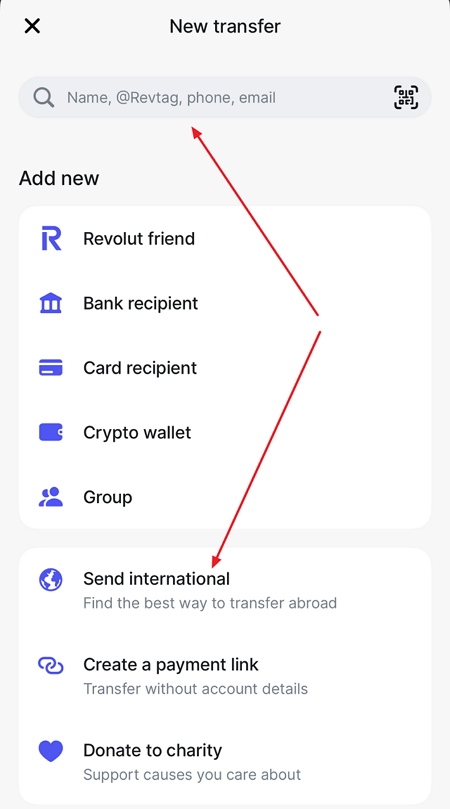
2. Enter the Bank / Wire transfer information.
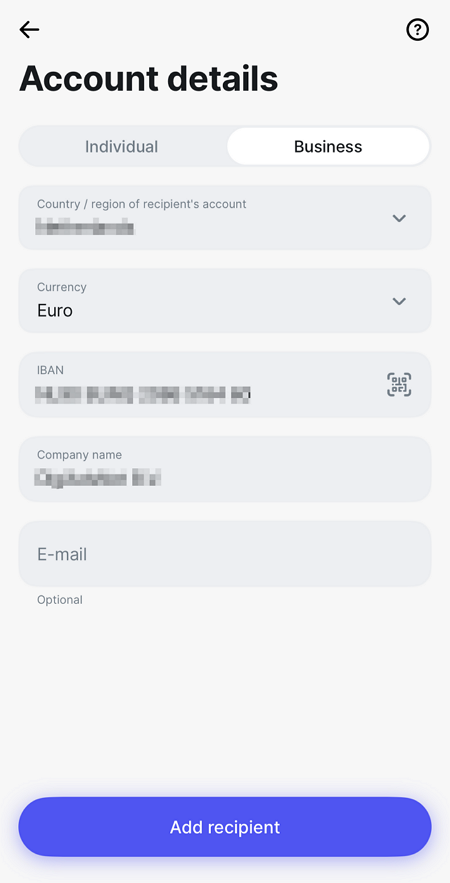
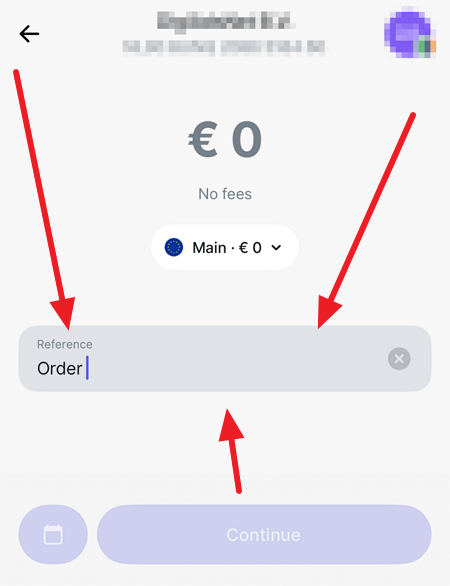
3. Specify the amount and include the order number in the format "Order XXXX"—where XXXX is your order number from our site.
Write no other words in the Reference/Message box.
Helpful links:
N26 Bank - Reference / Message Guide
Generally, How to Add Your Order Number - Reference / Message Guide
This guide will show you how to add a Reference/Message to your Bank / Wire transfer using "Revolut Bank".
The easiest way to pay is by scanning the QR code.
If you can't use the QR code, follow these manual steps:
1. Select the name if you have already sent money to us, or choose "Send Internationally."
2. Enter the Bank / Wire transfer information.
3. Specify the amount and include the order number in the format "Order XXXX"—where XXXX is your order number from our site.
Write no other words in the Reference/Message box.
Helpful links:
N26 Bank - Reference / Message Guide
Generally, How to Add Your Order Number - Reference / Message Guide