
FAQ - Frequently Asked Questions
Payment: Bank / Wire Transfer - How to Add Your Order Number - Reference / Message Guide
Payment: Bank / Wire Transfer - How to Add Your Order Number - Reference / Message Guide
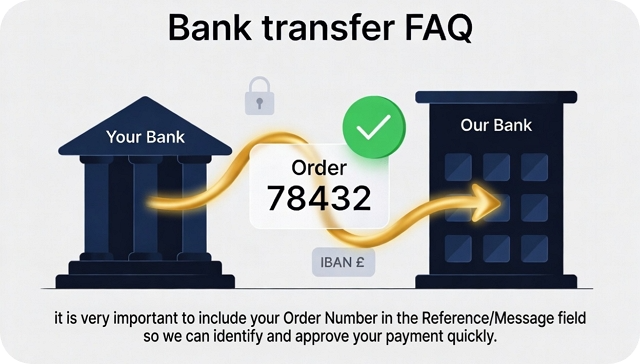
When making a payment via bank transfer or wire transfer, it is very important to include your Order Number in the Reference/Message field so we can identify and approve your payment quickly.
Correct Format:
Order XXXXX
(Replace XXXXX with your actual order number)
Example: If your order number is 7844326, you should write:
Order 7844326
Important Rules:
- Write only "Order XXXXX" in the Reference/Message box.
- Do not add any extra text, names, or explanations.
- Do not leave the Reference field empty.
Step-by-step Guide:
1. Log into your online banking.
2. Start a new bank transfer / wire transfer.
3. Enter the correct Company Name and **IBAN** we provided.
4. Enter the exact amount to pay.
5. In the Reference / Message / Description field, type exactly:
Order XXXXX (your real order number).
6. Double-check everything and confirm the transfer.
Once we receive the payment with the correct reference, your order will be approved automatically.
Important Note:
If you forget to add your Order Number in the Reference/Message field, your payment will not be automatically approved. It will be processed as a manual case.
In this situation, you must contact support and clearly inform us that you forgot to include the order number in your transfer. We will then ask for additional information (such as transfer date, amount, and your order number) to locate and approve your payment.
Helpful links:
Revolut Bank - Reference / Message Guide
N26 Bank - Reference / Message Guide
When making a payment via bank transfer or wire transfer, it is very important to include your Order Number in the Reference/Message field so we can identify and approve your payment quickly.
Correct Format:
Order XXXXX
(Replace XXXXX with your actual order number)
Example: If your order number is 7844326, you should write:
Order 7844326
Important Rules:
- Write only "Order XXXXX" in the Reference/Message box.
- Do not add any extra text, names, or explanations.
- Do not leave the Reference field empty.
Step-by-step Guide:
1. Log into your online banking.
2. Start a new bank transfer / wire transfer.
3. Enter the correct Company Name and **IBAN** we provided.
4. Enter the exact amount to pay.
5. In the Reference / Message / Description field, type exactly:
Order XXXXX (your real order number).
6. Double-check everything and confirm the transfer.
Once we receive the payment with the correct reference, your order will be approved automatically.
Important Note:
If you forget to add your Order Number in the Reference/Message field, your payment will not be automatically approved. It will be processed as a manual case.
In this situation, you must contact support and clearly inform us that you forgot to include the order number in your transfer. We will then ask for additional information (such as transfer date, amount, and your order number) to locate and approve your payment.
Helpful links:
Revolut Bank - Reference / Message Guide
N26 Bank - Reference / Message Guide