
FAQ - Frequently Asked Questions
Ad: Phone Number, (Add contact method) Validation and Verification.
Instructions for Add Contact Method and Ad Phone Number Verification By SMS
To add a "contact method" to your ad:
1. Go to your ad dashboard → Click **Edit ad**.
2. Scroll to the **Contact Info** section.
3. Click **+ Add contact method**.
4. Select from the dropdown list what method you want to add.
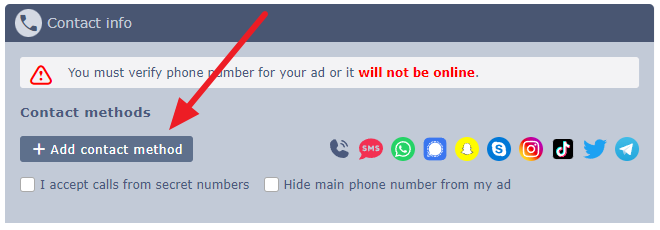
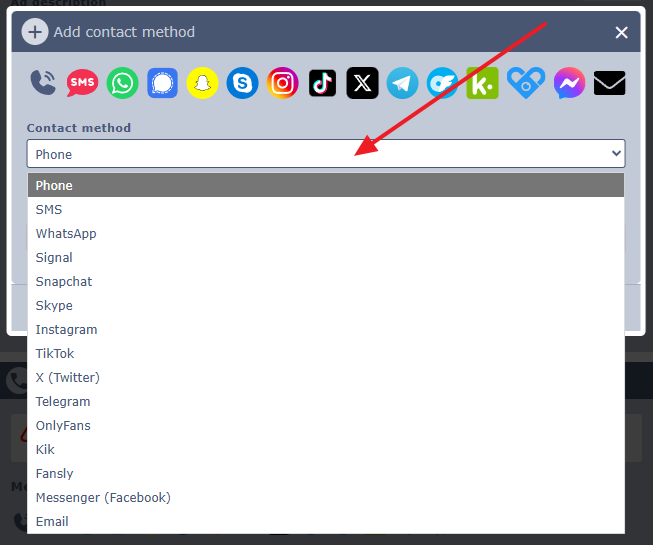
You Must Verify Your Phone Number To Go Online!
To publish your ad online, you must verify your phone number – if you don’t, your ad will remain offline and not displayed online on our website!.
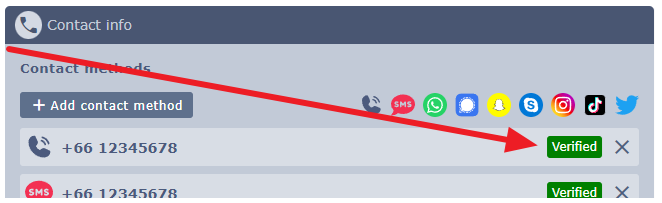
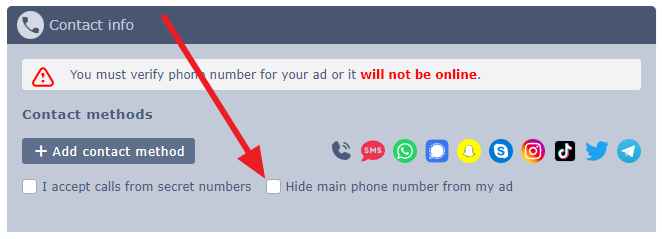
You can still choose to "Hide main phone number from your ad" after verification if you prefer privacy.
Step-by-Step Guide:
1. Click the link/button to add your phone number.
2. Enter your country code + phone number (no spaces).
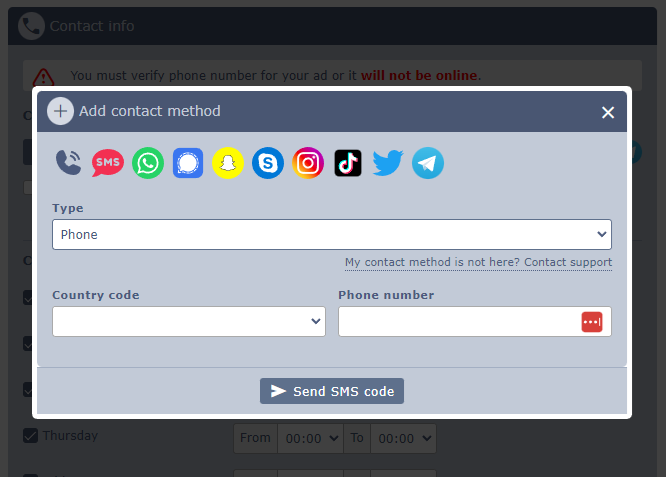
3. We’ll send an SMS with a verification code – wait for the countdown if it doesn’t arrive instantly.
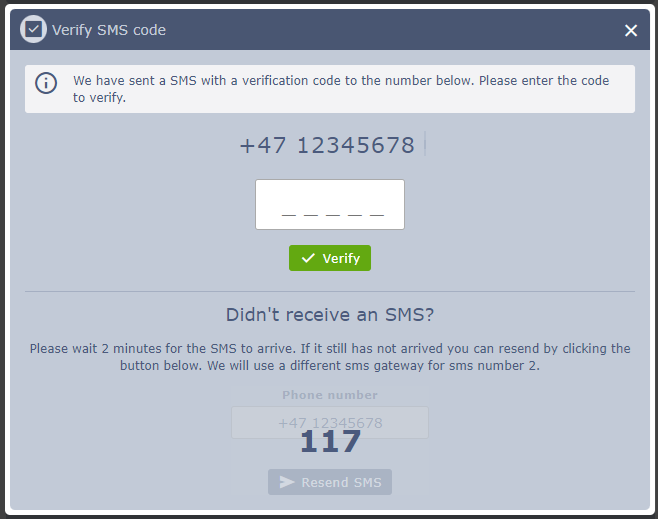
4. Still no SMS? Click to resend via a different gateway.
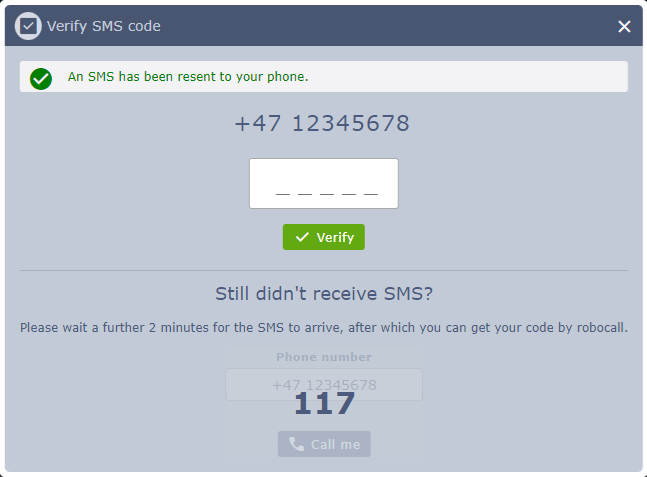
5. If both SMS attempts fail, request a ROBOCALL – our system will call you and read the code twice (have a pen ready!).
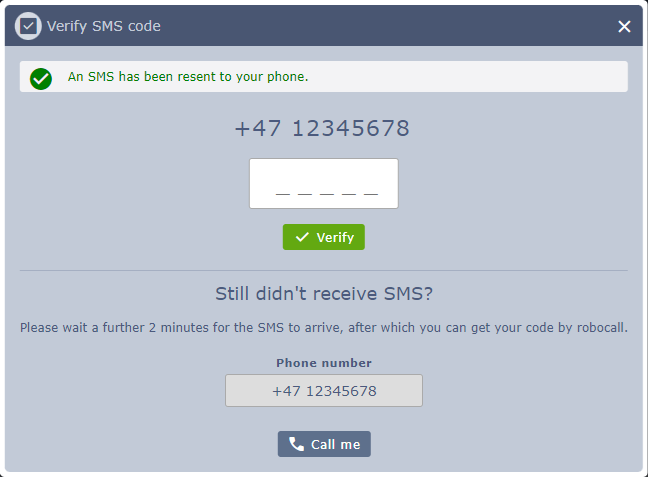
6. After entering the code, ALWAYS click “Save Changes” at the bottom of the page!

That’s it – once verified and saved, your ad can go live!
To add a "contact method" to your ad:
1. Go to your ad dashboard → Click **Edit ad**.
2. Scroll to the **Contact Info** section.
3. Click **+ Add contact method**.
4. Select from the dropdown list what method you want to add.
You Must Verify Your Phone Number To Go Online!
To publish your ad online, you must verify your phone number – if you don’t, your ad will remain offline and not displayed online on our website!.
You can still choose to "Hide main phone number from your ad" after verification if you prefer privacy.
Step-by-Step Guide:
1. Click the link/button to add your phone number.
2. Enter your country code + phone number (no spaces).
3. We’ll send an SMS with a verification code – wait for the countdown if it doesn’t arrive instantly.
4. Still no SMS? Click to resend via a different gateway.
5. If both SMS attempts fail, request a ROBOCALL – our system will call you and read the code twice (have a pen ready!).
6. After entering the code, ALWAYS click “Save Changes” at the bottom of the page!
That’s it – once verified and saved, your ad can go live!