
FAQ - Frequently Asked Questions
Payment: Bank / Wire Transfer - N26 Bank - Reference / Message Guide
Payment: Bank / Wire Transfer - N26 Bank - Reference / Message Guide
This guide will show you how to add a Reference/Message to your Bank / Wire Transfer using "N26 Bank".
The easiest way to pay is by scanning the QR code in your N26 app (if available).
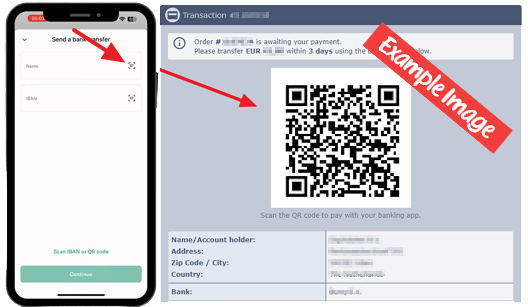
If you cannot use the QR code, follow these steps:
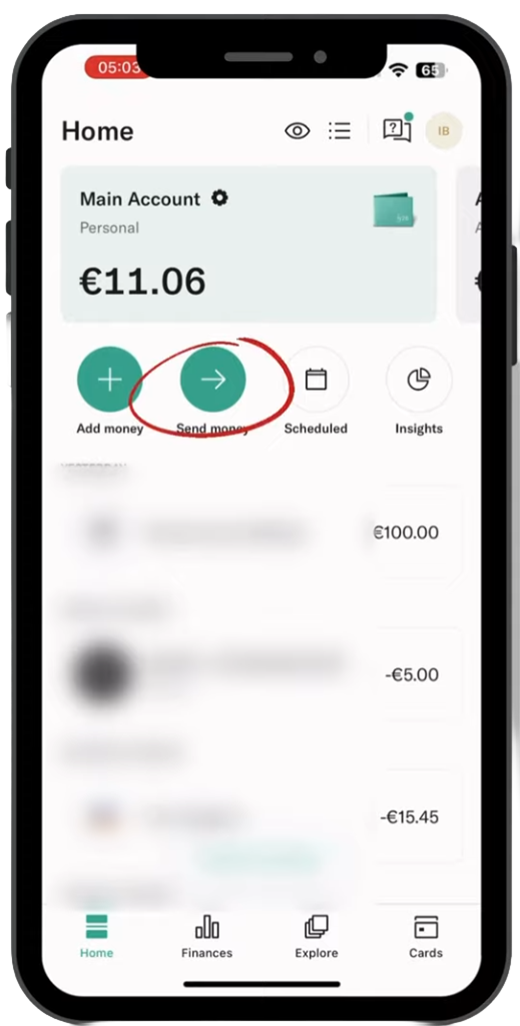
- Open your N26 app and tap **Send Money**
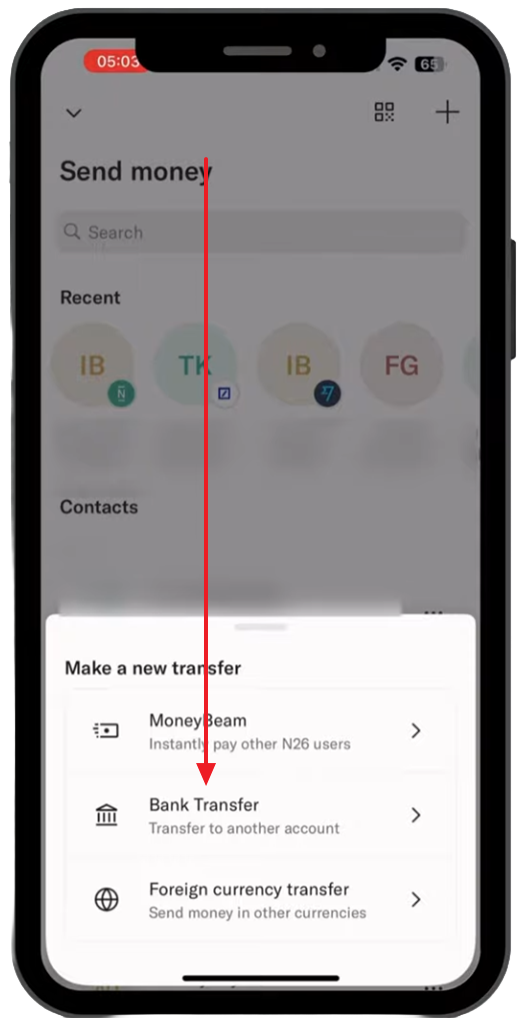
- Select **Bank transfer**
- Enter the Company name and IBAN we provided you.
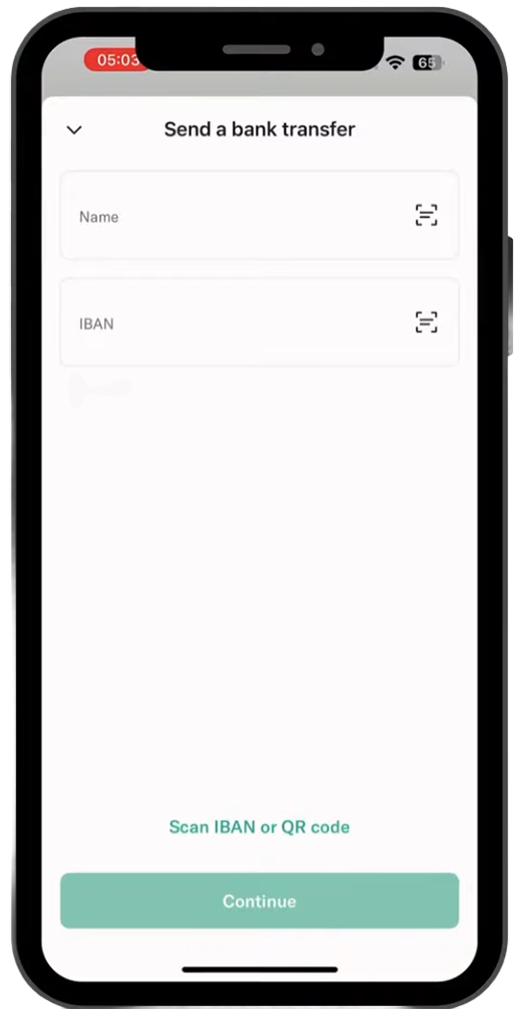
- Enter the exact amount and tap **Continue**.
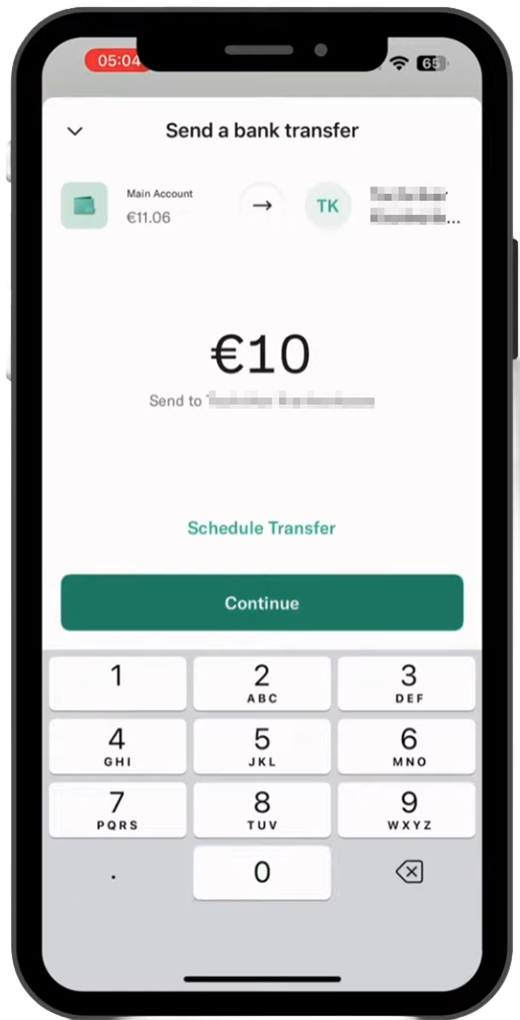
- In the **Reference / Message** field, enter only:
Order XXXX
(Replace XXXX with your actual order number from our site)
Do not write anything else in this box.
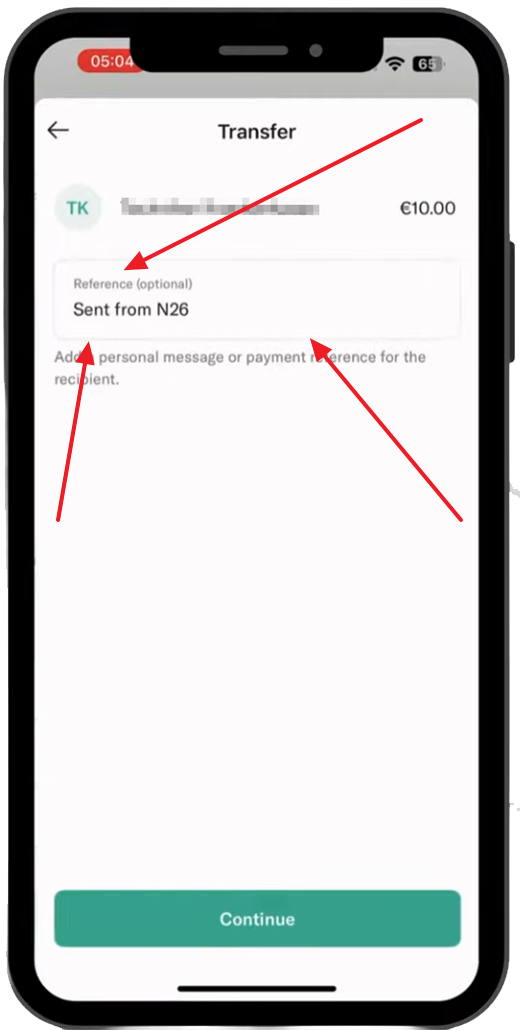
That’s it! Once the transfer is completed, your order will be processed as soon as we receive it, and it will be automatically approved if you have sent the right amount and the order number in the reference box.
Helpful links:
Generally, How to Add Your Order Number - Reference / Message Guide
Revolut Bank - Reference / Message Guide
This guide will show you how to add a Reference/Message to your Bank / Wire Transfer using "N26 Bank".
The easiest way to pay is by scanning the QR code in your N26 app (if available).
If you cannot use the QR code, follow these steps:
- Open your N26 app and tap **Send Money**
- Select **Bank transfer**
- Enter the Company name and IBAN we provided you.
- Enter the exact amount and tap **Continue**.
- In the **Reference / Message** field, enter only:
Order XXXX
(Replace XXXX with your actual order number from our site)
Do not write anything else in this box.
That’s it! Once the transfer is completed, your order will be processed as soon as we receive it, and it will be automatically approved if you have sent the right amount and the order number in the reference box.
Helpful links:
Generally, How to Add Your Order Number - Reference / Message Guide
Revolut Bank - Reference / Message Guide